
A few weeks ago I built a VST3 plugin from scratch. Not a preset tweak inside someone else's synth — an actual compiled audio plugin that loads in Ableton, has a custom UI, and processes audio in real time. I have never worked in C++ professionally. I did it with Claude as my co-pilot, JUCE as the framework, and a lot of patience with the build toolchain. Here is what that process actually looks like, and why you can do it too.
What a VST3 Plugin Actually Is
A VST3 plugin is a shared library — a .vst3 file — that your DAW loads and passes audio through. When you insert CJ Gain on a track in Ableton, the DAW feeds it audio samples, the plugin does math on them (in this case, multiplying by a gain value), and returns the result. That's it at the core. The plugin also draws a UI window, declares its parameters to the DAW for automation, and handles preset save/load. All of that is standardized by Steinberg's VST3 spec.
The spec exists so that a plugin built on Windows works in any VST3-compatible DAW — Ableton, Reason, FL Studio, Reaper — without any DAW-specific code. You write it once, it works everywhere that supports the standard.
The Stack You Need
There are three pieces. JUCE is the C++ framework that handles the VST3 plumbing — audio processing, UI components, parameter management, DAW communication. You write your plugin logic against the JUCE API and it compiles to the target format. Projucer is JUCE's project manager. You configure your plugin settings there (name, manufacturer, formats, module paths) and it generates the build files for Visual Studio. MSBuild is Microsoft's compiler, which you can get for free through the Visual Studio Build Tools installer — you don't need the full IDE.
None of these require a computer science degree to install. JUCE is a free download. Build Tools is a free Microsoft installer. The actual complexity is in knowing what to configure and in what order — which is exactly where Claude fills the gap. You describe what you want, it writes the code, explains what each part does, and catches build errors before they spiral.
How It Actually Gets Built
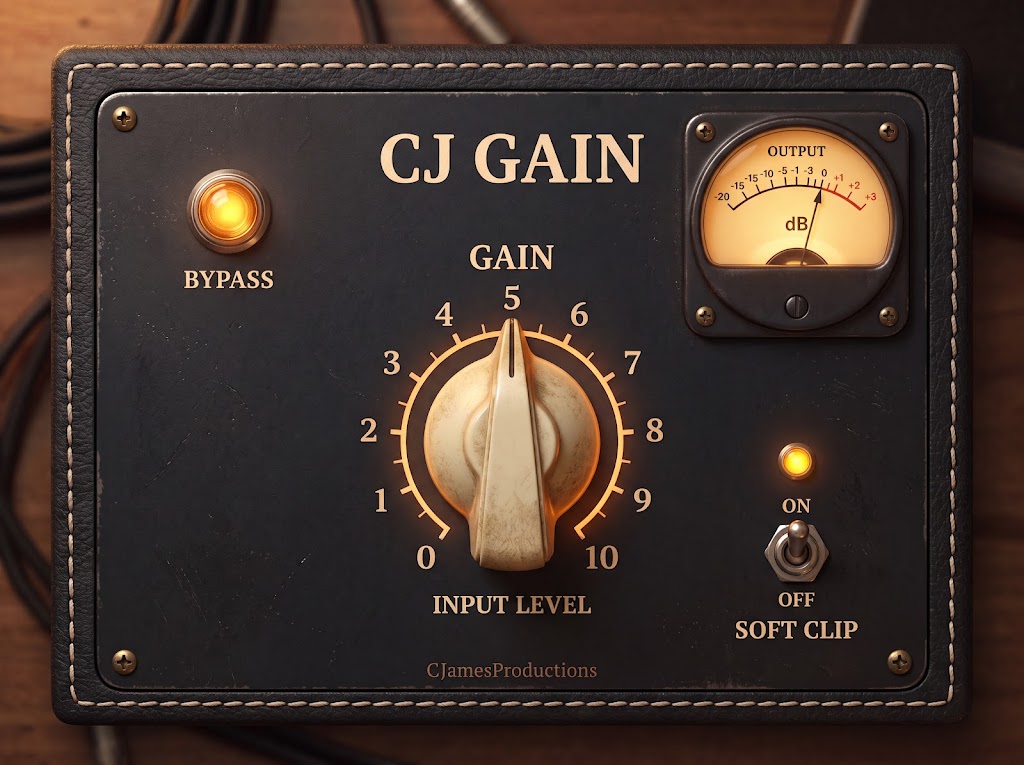
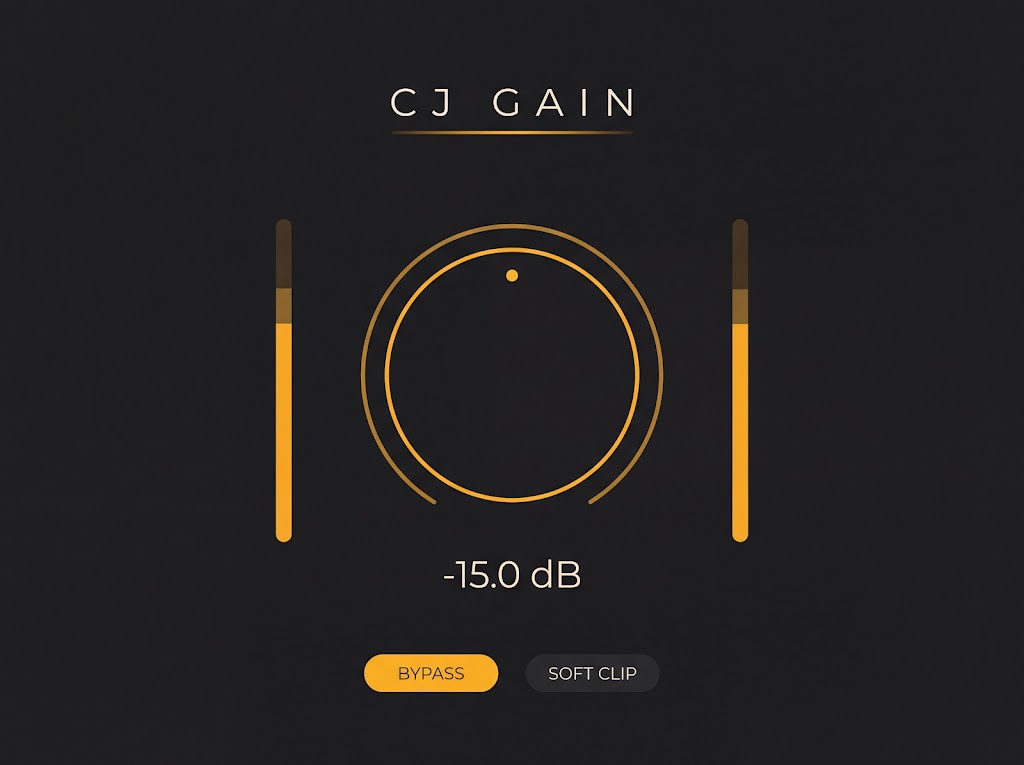
The plugin I built — CJ Gain — started as a single gain parameter mapped to a rotary knob. That first version was a working VST3 in one session: gain processing in processBlock(), a JUCE Slider wired to the parameter tree, a dark charcoal UI. Functional, loadable in Ableton, automatable from the DAW. The second version added bypass with a click-free crossfade, soft clip with tanh saturation, a VU meter with analog ballistics, and a full vintage amp interface built from a rendered mockup image.
Neither version required me to already know JUCE internals. I described the feature, Claude wrote the implementation, I asked what each line was doing, and I built an actual mental model of the codebase as we went. The errors were real — build toolset mismatches, JUCE module path issues, the difference between pluginFormats="buildVST3" and "VST3" — and working through them with Claude was faster than guessing through Stack Overflow.
What You Walk Away With
A plugin you actually understand. That's the part that surprised me. Because I had to approve every change, explain back what it did, and debug real build failures, I ended up with a genuine read on how JUCE's AudioProcessor works, why the audio thread can't touch the UI, what APVTS does for parameter automation. You don't get that from a template. You get it from building something that breaks and figuring out why.
The other thing you walk away with is a deployment workflow. When the Release build is done, you copy the .vst3 folder to C:\Program Files\Common Files\VST3\, rescan in Ableton, and the plugin shows up like any other. CJ Gain is live on my system right now, running on every mix I open. That's a real tool built for my specific workflow — and there's no off-the-shelf plugin that works exactly that way because I built it to spec.
Where to Start
Download JUCE from juce.com. Run Projucer, create a new Audio Plug-In project, set it to VST3 only. Install Microsoft's Build Tools (VS Build Tools 2022, with the C++ workload). Then open a session with Claude and describe what you want the plugin to do. Start with a gain control — it's the "hello world" of audio plugins and it covers every concept you need: parameters, processing, UI, deployment. From there you can add anything: EQ curves, saturation, reverb tails, custom meters. The framework handles the DAW integration. You handle the idea.